 Nederland
 België
 Deutschland
 Finland
 Ireland
 Luxembourg
 Portugal
 Poland
 Österreich
 France
 España
 Italia
 Sverige
 Danmark
Wahoo Kickr Core 2 Direct Drive Turbo Trainer


- Delivery in 3-4 working days
- Free tracked delivery to Ireland
- Trustpilot rating 4.6/5


Pros & Cons
Pros & Cons
- Thanks to automatic calibration during spindown (as your flywheel comes to a stop), you never have to initiate calibration yourself, and the readings remain accurate to within ±2%.
- A direct-drive system with no rear wheel on a roller offers minimal rolling resistance and a realistic riding experience.
- The system supports Wi-Fi alongside Bluetooth Smart and ANT+ so you can always stay connected and receive firmware updates.
- The maximum power output of 1,800 watts and gradient simulation of up to 16% are more than enough for most high-intensity workouts.
- The Kickr Core 2 is compatible with virtually every major training app: Zwift, TrainerRoad, Rouvy, Bkool, Kinomap, Velo Reality, FulGaz, MyWhoosh and Wahoo SYSTM.
- Compared to smaller models, this trainer is relatively heavy but this increases stability during hard efforts.
- The 11-speed cassette that is included as standard cannot be used for bikes with a 12-speed drive.
Specifications
Specifications
| Brand | Wahoo | |
| Colour | Orange | |
| Select your current trainer brand | Wahoo / Van Rysel / Jetblack | |
| Compatible with Zwift | Yes | |
| Intensity of use | Optimal | |
| Maximum Hill Incline | 16% | |
| Power accuracy | Up to ± 2% | |
| Zwift Cog & Click compatibility | Compatible with Zwift Click & Cog | |
| Mobility | None |
Want more, such as a steeper gradient or extra power? Take a look at the Wahoo Kickr V6, the logical next step within the same brand.
Automatic calibration
The Core 2 calibrates itself as soon as you let your flywheel spin to a halt while cycling. So you will never have to worry about whether your trainer is properly calibrated again; it checks this itself, every single time.
Wi-Fi connectivity
As well as Bluetooth Smart and ANT+, you can also connect the Core 2 to your home network using Wi-Fi. This makes firmware updates easier and ensures a highly reliable connection while training.
Heavy flywheel
The flywheel simulates the inertia you feel outdoors, making acceleration and deceleration gradual rather than jerky. Thus, a virtual sprint feels just like one on the road.
Compatible with:
- Bikes with 130 x 5 mm or 135 x 5 mm quick-release axles
- Bikes with 142 x 12 mm or 148 x 12 mm thru-axles
- Bikes with disc brakes
- Shimano cassettes from 8- to 12-speed
- SRAM cassettes from 8- to 11-speed
- Zwift Cog & Click V2, if you choose that version
Not compatible with:
- Bikes with an axle size not listed above, such as older 10 mm axles
Included as standard:
- Wahoo Kickr Core 2 turbo trainer with fold-out legs
- Mains power supply (AC adapter)
- Adapters for quick-release, for both the drive side and the non-drive side (reversible for 130/135 mm)
- Adapters for thru-axle, for 142 mm and 148 mm
- 6 mm Allen key
- 1.8 mm cassette spacer, if required for your cassette
- User manual
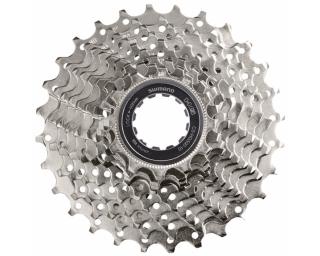
- Depending on your chosen version: 11-speed cassette (11-28T, pre-installed) or Zwift Cog & Click V2 (pre-installed)
Not included / still required or useful:
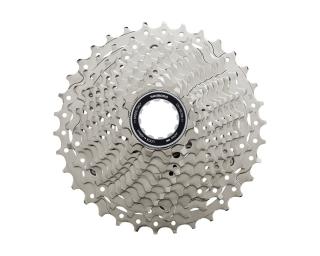
- 12-speed cassette, if you need one and are not opting for the Zwift Cog & Click version
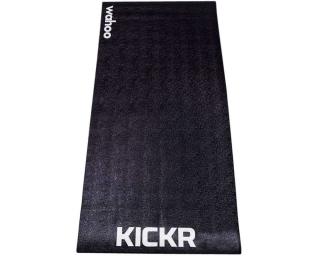
- A trainer mat to protect your floor from vibrations and sweat
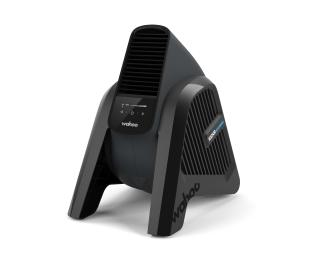
- A trainer fan to keep you cool during tough training sessions
- Other turbo trainer accessories
How to assemble the Wahoo Kickr Core 2 turbo trainer in 4 steps:
You can set up the Core 2 yourself in about 15 to 20 minutes. All you need is the 6 mm Allen key supplied.
- Unfold the legs: Place the trainer on a flat floor (and on a trainer mat), unfold the front and rear legs and secure them with the bolts supplied, tightening to 10 Nm.
- Choose your adapter: Fit the quick-release or thru-axle adapter that matches your bike’s axle size to both sides of the trainer.
- Place your bike on the trainer: Remove the bike's rear wheel, shift to the smallest front and rear cogs, and secure the bike to the trainer.
- Connect to your app: Plug the power cable into the socket and search for the trainer using Bluetooth, ANT+ or Wi-Fi in Zwift or another training app.
If it is not going straightforward, consult the Wahoo User Manual, which also illustrates each step with photos.
- Let the flywheel spin down naturally from time to time while cycling; this allows the Core 2 to calibrate itself and ensures your power measurement remains accurate.
- Place a trainer mat under your turbo trainer to reduce vibrations and protect the floor.
- Open the Wahoo app regularly to see if a firmware update is available; you can install it in no time via Wi-Fi.
- Place a fan in front of your indoor trainer, especially during high-intensity sessions, so that you don't overheat.
What are the key features of the Wahoo Kickr Core 2 indoor trainer?
With which bikes is the Wahoo Kickr Core 2 turbo trainer compatible?
What is the build quality of the Wahoo Kickr Core 2 turbo trainer?
What are the additional features of the Wahoo Kickr Core 2 indoor trainer?
How do I install the Wahoo Kickr Core 2 indoor trainer?
What should I do if I experience connectivity issues?
Does the Wahoo Kickr Core 2 turbo trainer support various training apps?
How can I track the performance of the Wahoo Kickr Core 2 turbo trainer?
Does the Wahoo Kickr Core 2 indoor trainer support automatic calibration?
What sort of maintenance is required for the Wahoo Kickr Core 2 turbo trainer?
Ask a question about this product

Reviews
Reviews
Photos from customers
Most recent reviews
5 / 5
A great turbo trainer
The Kickr with Cog and Swift works well. You can change gears in small increments. The Wahoo is worth the price, but the real cost lies in your Rouvy or Zwift subscription
Pros & Cons
5 / 5
Absolutely brilliant!
I’m very happy with the Wahoo Kickr Core. I’m using it for my winter training to prepare for various races next year. I’d definitely recommend buying it.
5 / 5
A simple, effective purchase with no regrets.
I’m very pleased with my purchase – it’s my first exercise bike and I’m glad I put my trust in the reviews. He’s already started making progress and I think it’s going to continue.
5 / 5
Brilliant
Great product. Easy to assemble and use.
5 / 5
Ideal for indoor sessions on days when the weather is gloomy.
An excellent product. Very easy to use thanks to the Zwift Cog and Click!
5
A great turbo trainer
The Kickr with Cog and Swift works well. You can change gears in small increments. The Wahoo is worth the price, but the real cost lies in your Rouvy or Zwift subscription
-
It’s easy to install
-
The electronic gear changes work well
-
Works well
Frequently bought together
Frequently bought together



Recommended by the product specialist
Recommended by the product specialist



Related products
Related products

|

|

|

|
|
| Wahoo Kickr Core 2 | Tacx Flux 2 Smart T2980 | Elite RIVO | Elite Avanti | |
| 63 reviews | 117 reviews | 41 reviews | 37 reviews | |
| Colour | Orange | Black | Black | |
| Select your current trainer brand | Wahoo / Van Rysel / Jetblack | |||
| Cassette or Zwift Cog & Click V2 | With Zwift Cog & Click V2 / With 11-speed cassette / Pre-installed - 11-28T | Without cassette | With Zwift Cog & Click V2 / Without cassette | With Zwift Cog & Click V2 / Without cassette / Pre-installed |
| Compatible with Zwift | Yes | Yes | Yes | Yes |
| Intensity of use | Optimal | Optimal | Optimal | Optimal |
| Maximum Hill Incline | 16% | 16% | 18% | 18% |
| 507.25 | From 608.90 | 457.39 | From 528.54 | |
| This product | View product | View product | View product |